
 by
by Do I have to enter medications to use Best Plan Pro?
In Best Plan Pro, no medication have to be input in order for you to input a condition.
Where It Is.
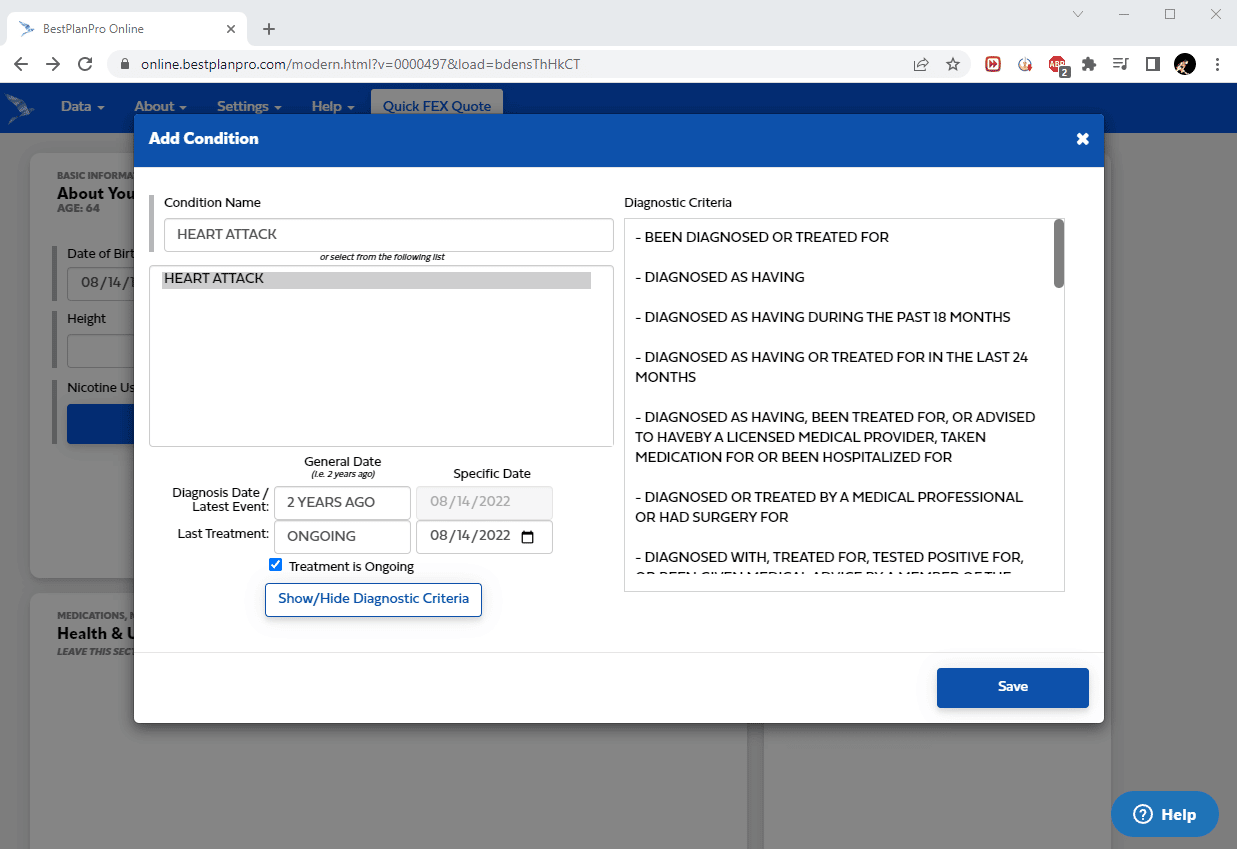
Depending on the version you’re using, look for the Add Condition button to open up a window where you can input your condition
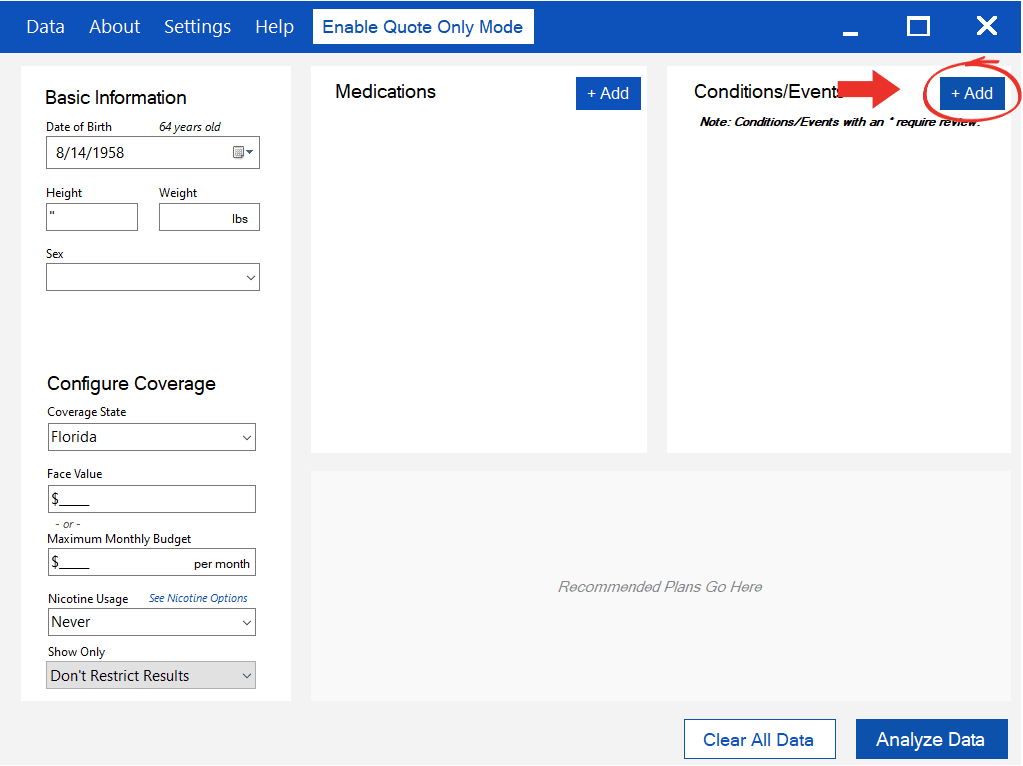
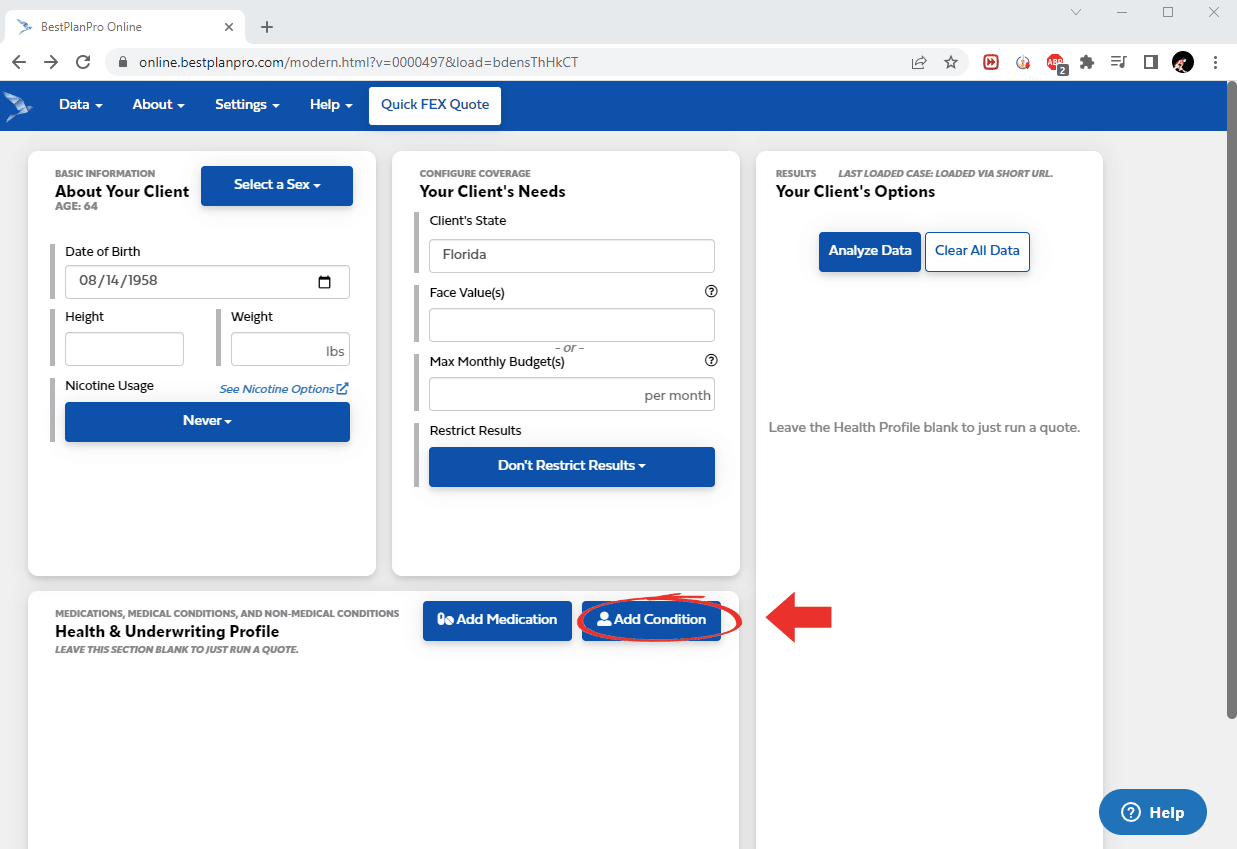
What You Get.
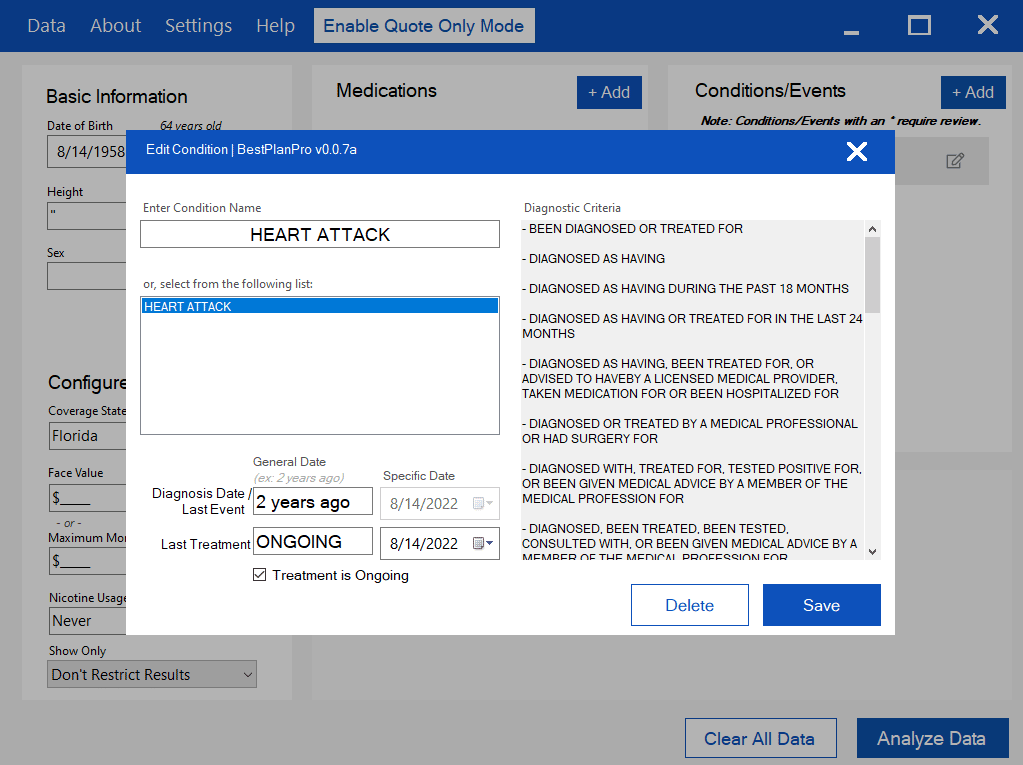
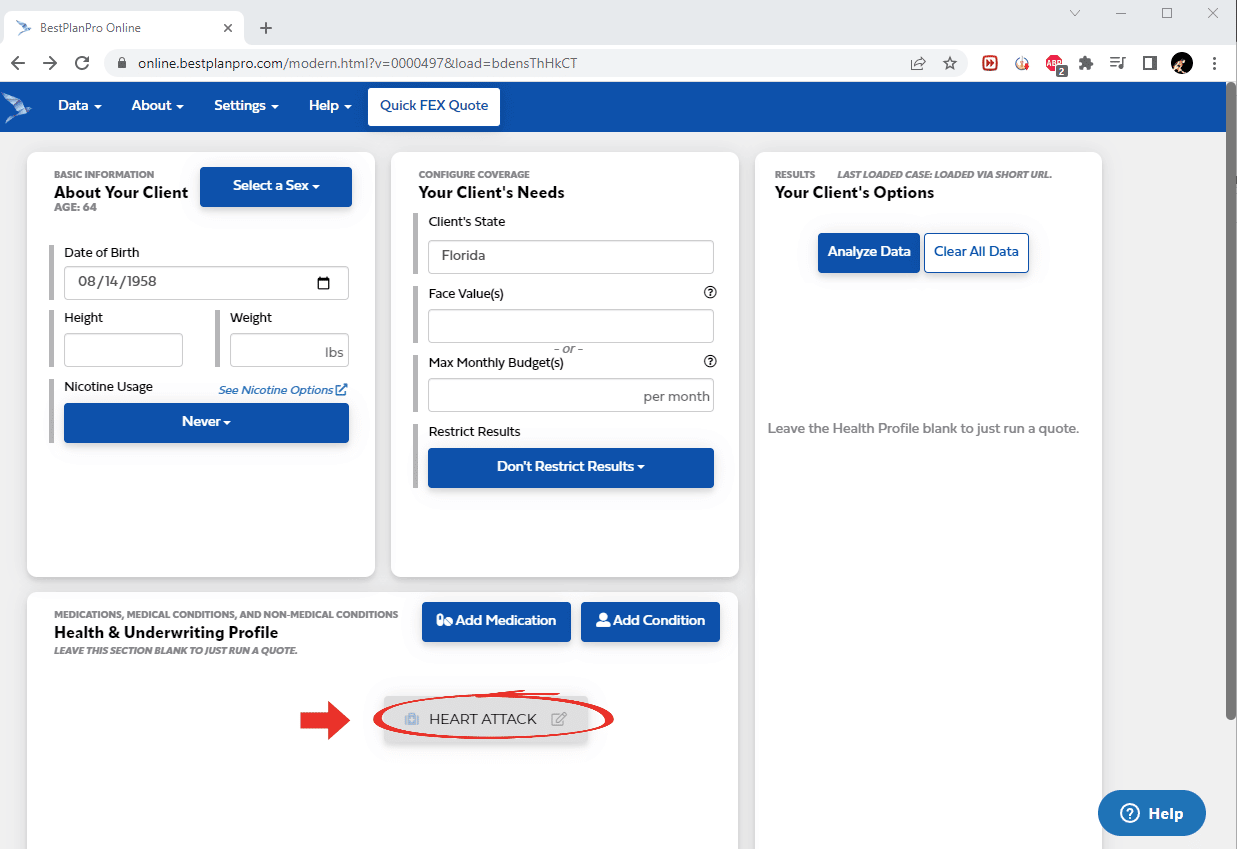
After you open up the Add Condition window, simply input your condition into the proper fields along with the Date of Diagnosis and Last Treatment Date and click Save. The condition will pop up under the Condition/Events field.
Windows Version
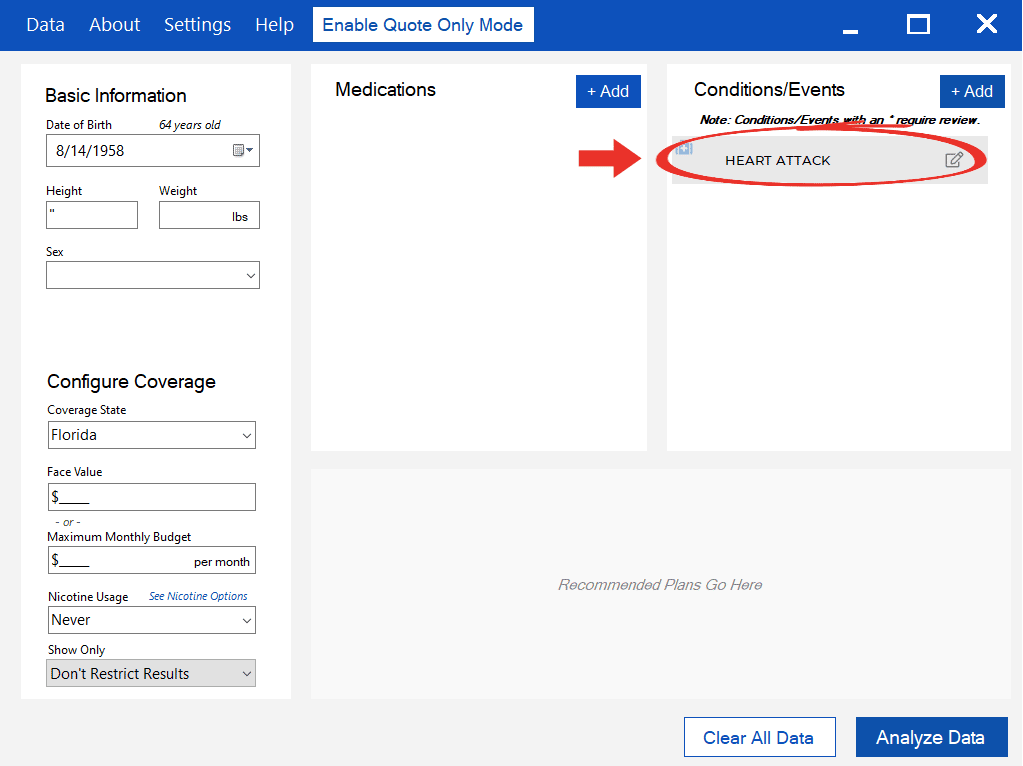 Online Version
Fully Customizable
Our software is designed such that the user has full control over what can be configured. It is possible that a client had suffered from an event, but they don’t currently take any medication to treat that condition. So we give that option to agents to enter in conditions without requiring medications.
Leave a Reply