
 by
by If I have any questions or concerns about Best Plan Pro, where would I go to submit my inquiries?
You can use one of two menu options under the Help tab to contact us.
Where It Is.
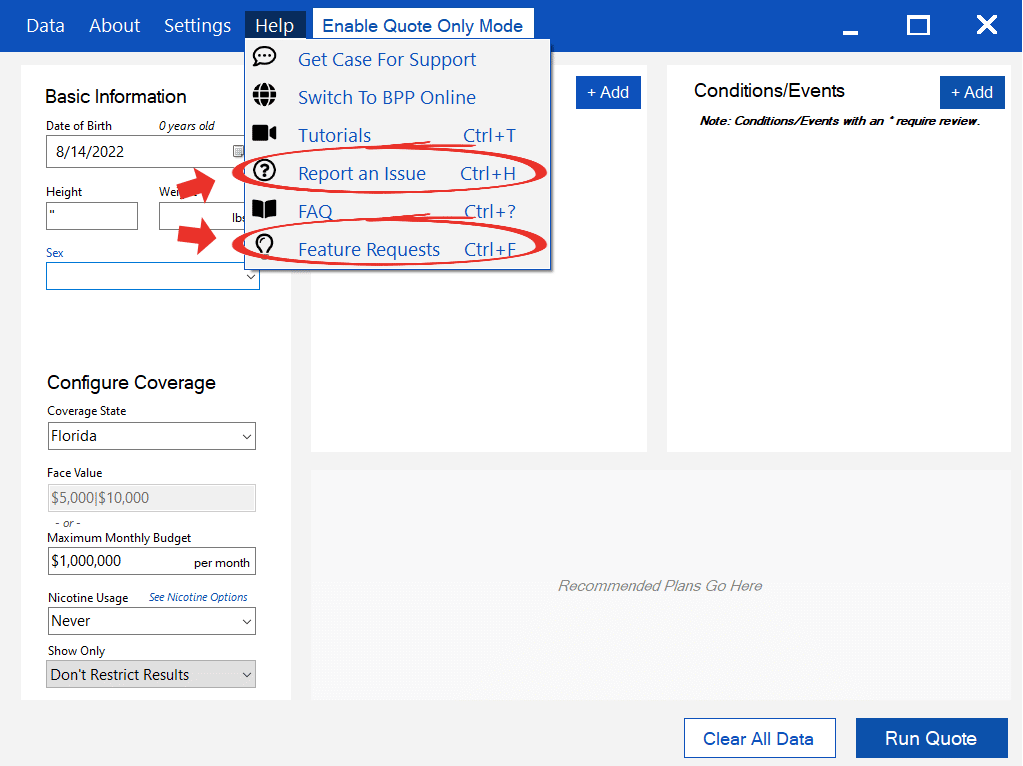
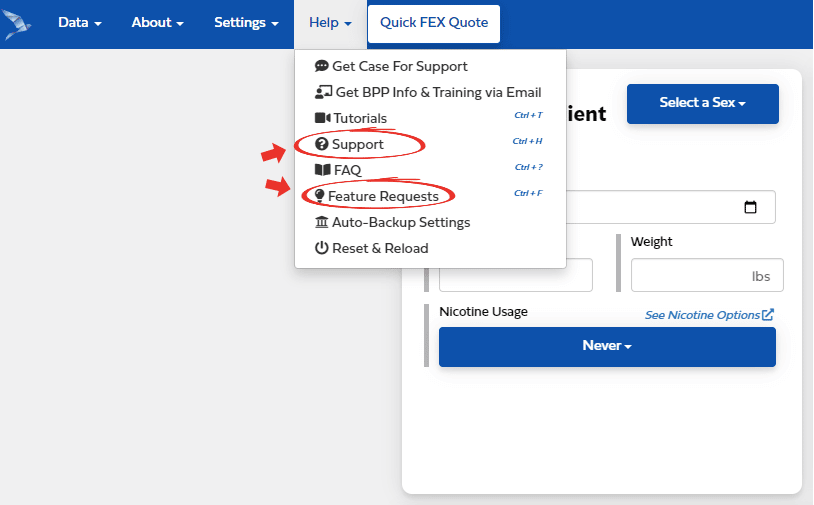
Under the Help tab, scroll down to either Report an Issue Ctrl+H (named Support in BPP Online Version) or Feature Requests Ctrl+F depending on what you need.
What You Get.
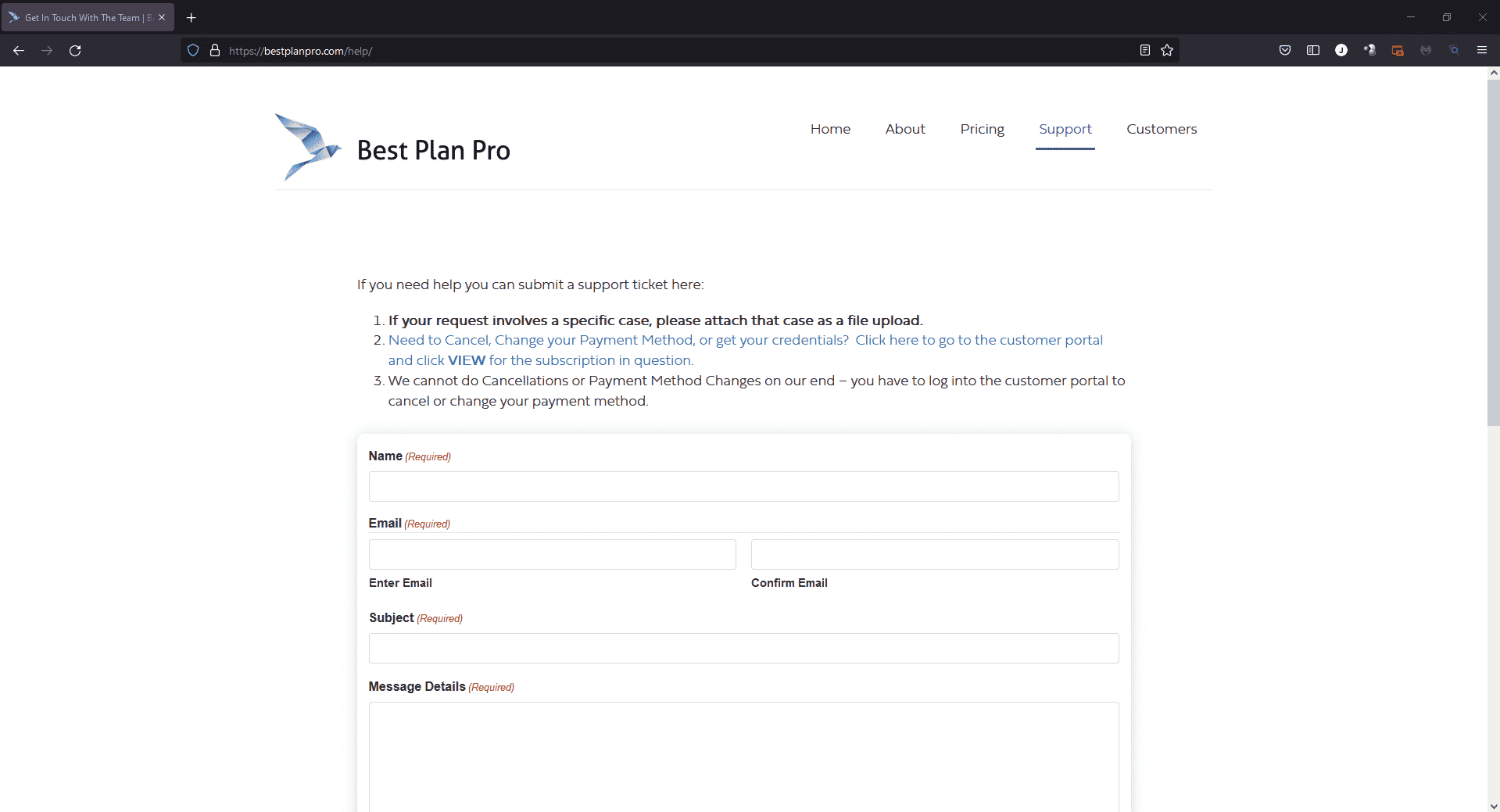
If you select Report an Issue (or Support) Ctrl+H, you will sent to https://bestplanpro.com/help where you can fill out our form to report any problems or bugs you may encounter while using Best Plan Pro Windows or Online Versions.
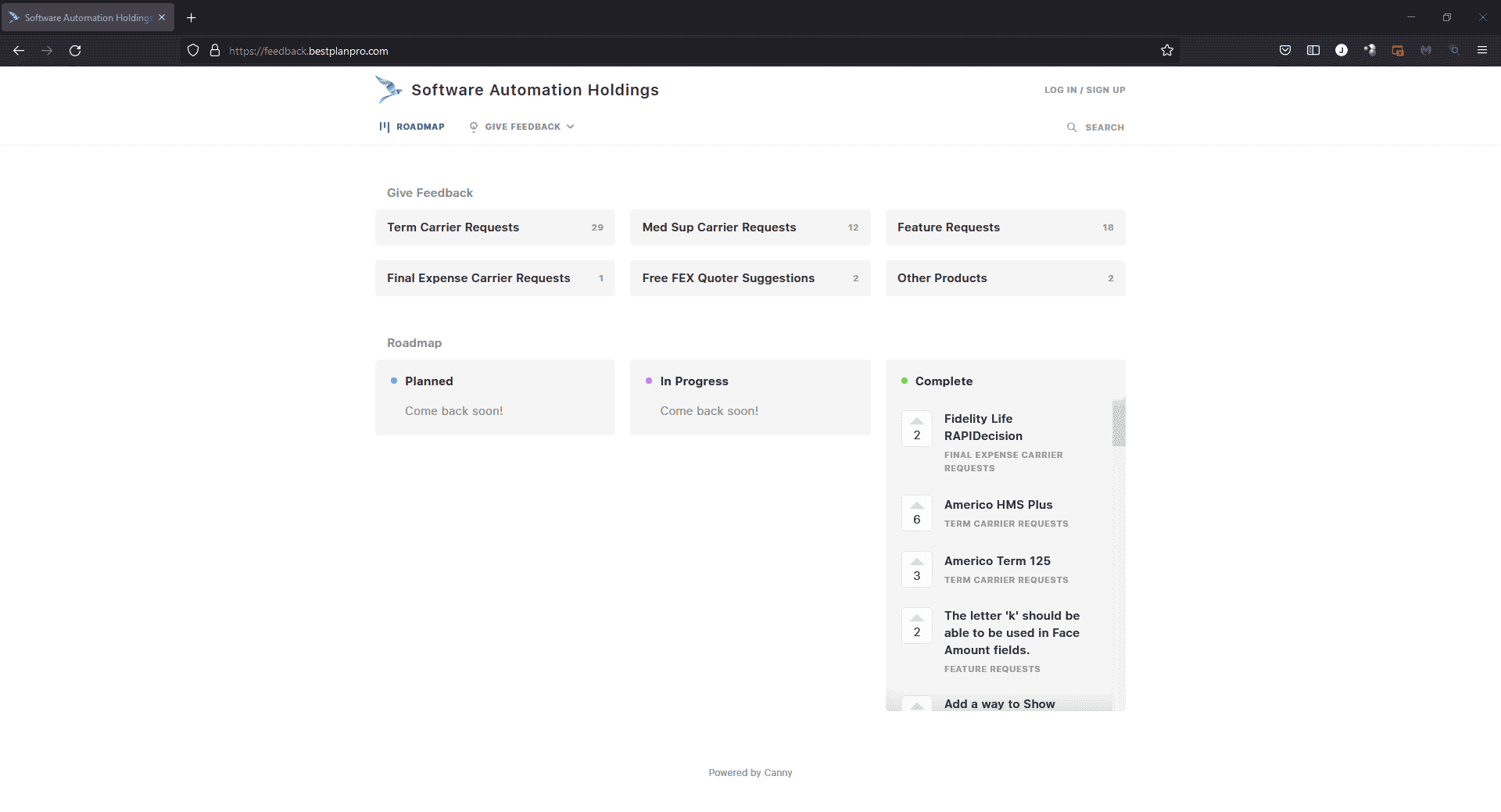
If you have an idea for a new feature or if you would like to give some other feedback, select Feature Requests Ctrl+F. This will send you to https://feedback.bestplanpro.com/ where you can ask for new products to be added or new features to enhance your user experience.
Always Improving.
We are always trying to bring improvements to Best Plan Pro so we can ensure our agents have everything they need to quickly and accurately complete underwriting for their clients. If you run into any issues with our software, please feel free to reach out to us using the Report an Issue option. Additionally, we recognize that the library of carriers and products is vast and constantly expanding. If there are any products not found in BPP or if you have an idea for a feature that you would like to see implemented into our system, use our Feature Request forum to let us know how we can enhance your value out of our product.
Leave a Reply